Routing AI Workflow
Project overview
Checkout is a global payment platform processing transactions across dozens of providers, MIDs, and regions. Routing decisions — which acquirer takes a transaction, when to cascade after a decline, how traffic splits across A/B tests — directly affect approval rates and revenue. As routing logic grew more complex, the existing table-based admin panel could no longer keep up.

Problem
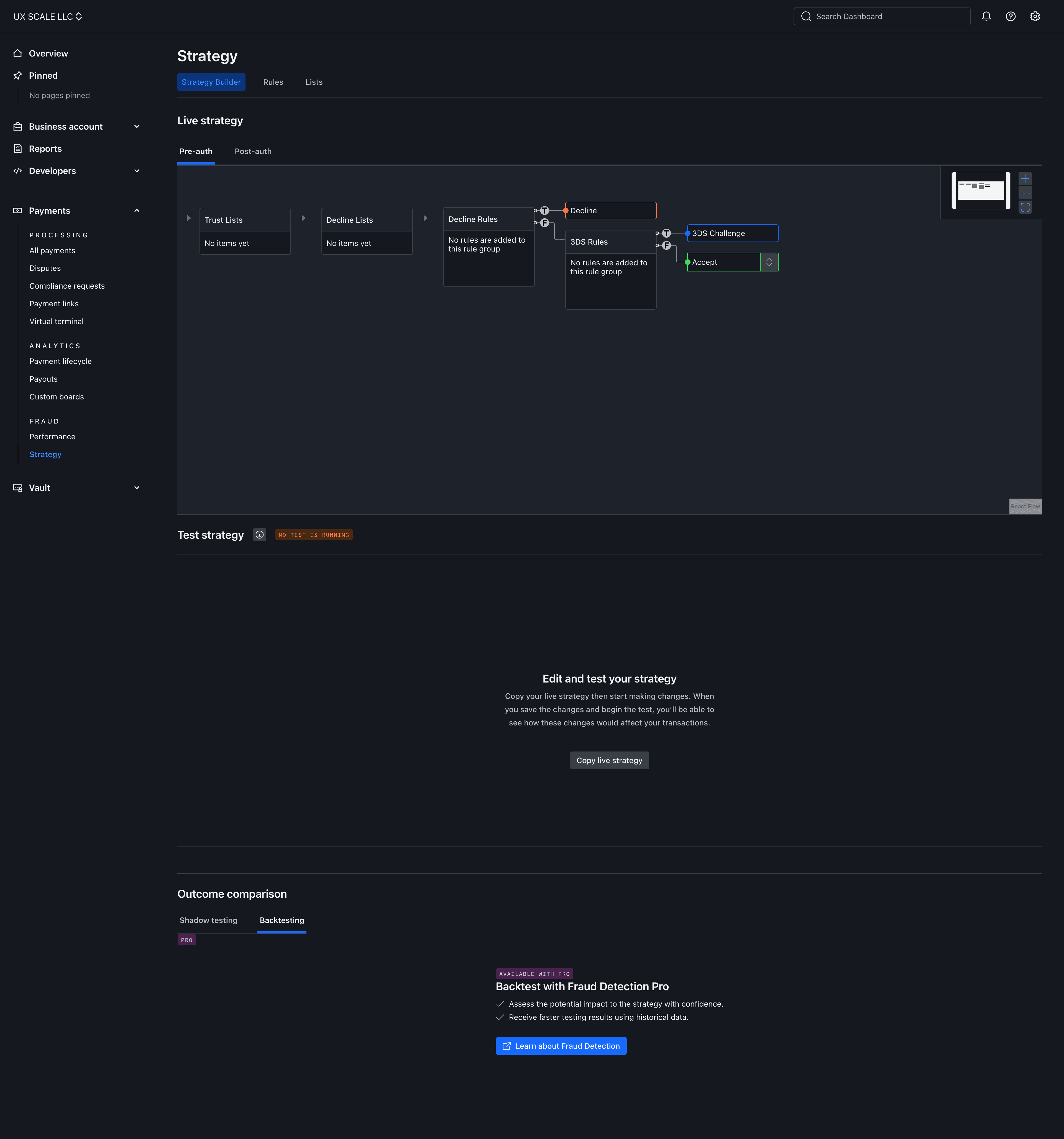
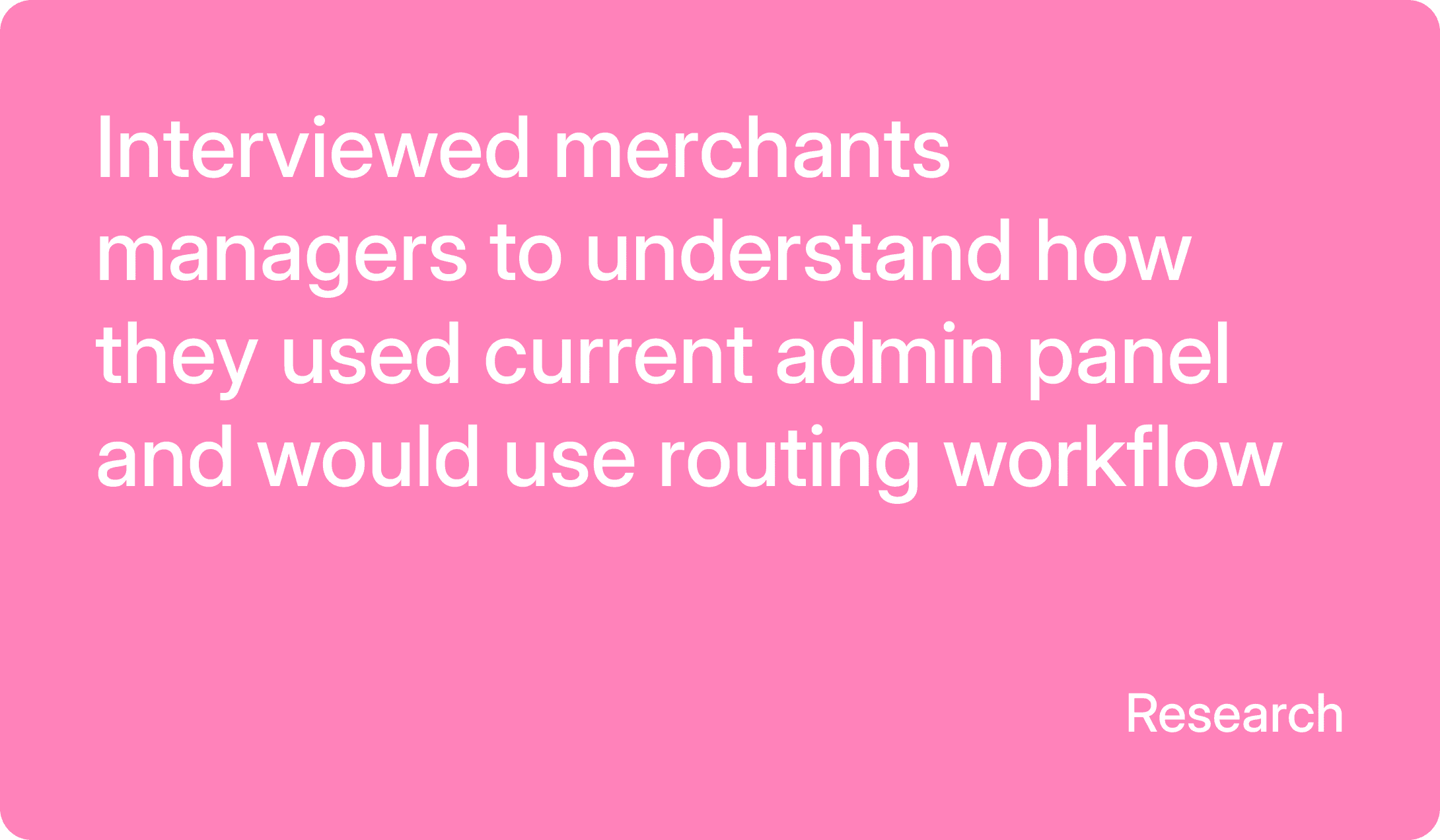
Once acquiring moved to the automation layer, operators lost control over routing. They could see outcomes but not the logic behind them — no way to override, no way to A/B a provider, no way to enforce a compliance rule without engineering. The existing rule-editor was a flat table for simple pre-auth conditions, with no view of how
traffic actually flowed.



Constraints
Design System
Built on a new component system, requiring new patterns for canvas, nodes, and connections instead of reusing existing table components.
Routing logic
Conditions, splits, cascade order, and fallback behavior had to stay semantically identical to the existing system.
Financial Risk Tolerance
Payment routing directly affects approval rates and revenue. Any pattern that allowed silent failures was excluded by design.
Key insights
No bulk visibility
Suggestions, not decisions
Operators are open to AI suggestions — but only with full control before changes are applied.
Context got lost
Building a rule meant jumping across disconnected steps,
re-entering information each time.
Key desicion
Three interactions were redesigned around the canvas itself — how operators build a routing flow from scratch, resolve errors with AI assistance, and step in manually when needed.
Operators can build a routing flow node by node on the canvas, without leaving context to configure each step separately.
Operators can review an AI-suggested fix, see exactly what it changes, and approve it before it applies.
Operators can trace an error back to its source node and resolve it directly, without waiting on automation.
Final interface
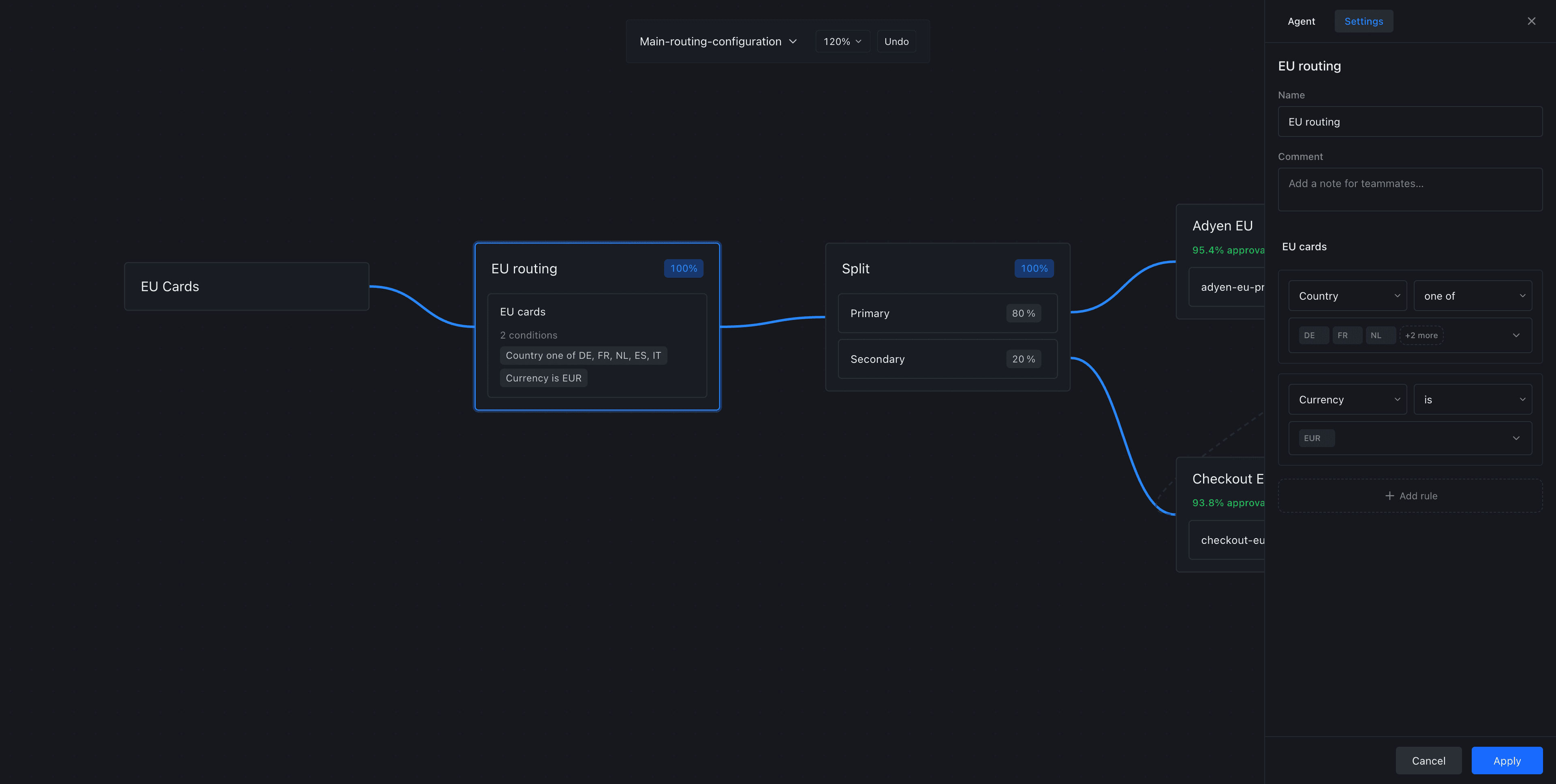
The final design turns routing into a visual workflow — traffic paths, conditions, AI suggestions, and merchant performance live on one canvas instead of scattered across nested tables.


Impact
The canvas turned routing logic into a visible path — operators can follow the flow from condition to provider
Aproval rate
Faster routing setup
Fewer live errors
Faster investigation